
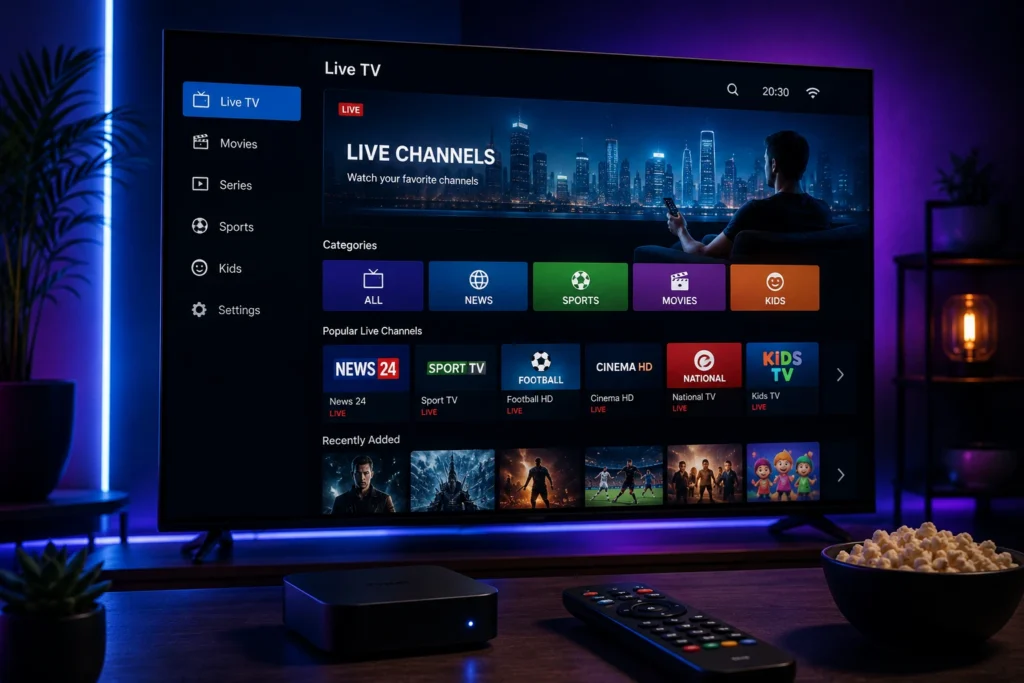
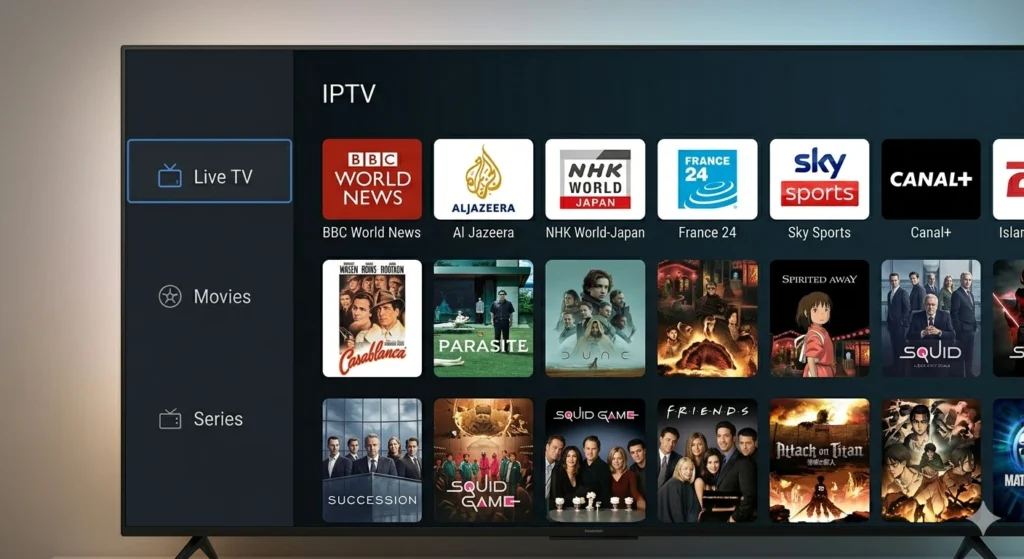
Smart TVs have changed the way people enjoy television, bringing internet-based entertainment directly to the living room. With a reliable internet connection and a compatible application, viewers can access live TV, sports, movies, series, news, and international channels from one screen.
For viewers looking for a flexible alternative to traditional television, IPTV for Smart TV offers a convenient way to access internet-based content. Instead of relying entirely on cable or satellite services, IPTV delivers available television content through an internet connection.
But choosing the right IPTV service involves more than looking at the number of channels or the subscription price. Compatibility, streaming stability, picture quality, available content, application support, and customer service can all affect the overall experience.
In this guide, we will explore how IPTV works on Smart TVs, its main benefits, supported devices, important features, and the key factors to consider before choosing an IPTV service.
What Is IPTV for Smart TV?
IPTV stands for Internet Protocol Television. It is a technology that delivers television content through an internet connection rather than traditional cable, satellite, or terrestrial broadcasting.
IPTV for Smart TV means accessing this internet-based television content through a compatible Smart TV and IPTV application.
Depending on the provider and the content available in your region, an IPTV service may include:
- Live TV channels
- Sports programming
- Movies
- TV series
- News
- International channels
- Entertainment
- Video-on-demand content
The exact selection depends on the provider, subscription, application, and applicable content rights.
How Does IPTV Work on a Smart TV?
Using IPTV on a Smart TV generally requires three main elements: a compatible television, a suitable IPTV application, and a stable internet connection.
After installing the IPTV application, users normally enter the login credentials or playlist information provided by their service provider. The application then connects to the service and displays the available content.
A typical setup includes:
- Connect the Smart TV to the internet.
- Install a compatible IPTV application.
- Enter the required service information.
- Allow the application to load the available content.
- Browse the categories and select what you want to watch.
The exact setup process can vary depending on the TV brand, operating system, IPTV application, and provider.
Why Use IPTV on a Smart TV?
There are several reasons why viewers choose to access IPTV through a Smart TV.
Convenient Large-Screen Viewing
A Smart TV provides a much larger viewing experience than a smartphone, tablet, or computer. IPTV allows viewers to bring internet-based television content directly to that screen.
This can be particularly convenient when watching movies, sports, or live television with family and friends.
Access to Multiple Content Categories
IPTV can bring different types of entertainment together in one service. Depending on the provider, viewers may find live television, sports, movies, series, news, and international programming.
Having different categories available from one interface can make everyday viewing more convenient.
Flexible Entertainment
Traditional television often revolves around fixed schedules. IPTV can provide more flexibility by combining live channels with available on-demand content.
This allows viewers to choose between watching live programming and selecting available content according to their preferences.
Simple Home Entertainment Setup
Smart TVs already provide internet connectivity and application support. When a compatible IPTV application is available, users can access their service directly through the television.
This can reduce the need for additional equipment and keep the viewing setup simple.
Main Benefits of IPTV for Smart TV
Wide Content Selection
One of the main attractions of IPTV is the possibility of accessing different categories of content through one service.
Depending on the provider, viewers may find entertainment, sports, movies, series, news, and international programming.
For households with different viewing preferences, this variety can make IPTV a convenient entertainment option.
HD, Full HD, and 4K Streaming
Picture quality is an important part of the Smart TV experience.
Some IPTV services offer HD, Full HD, or 4K streams when supported by the content source, service, application, television, and internet connection.
A 4K Smart TV alone does not guarantee 4K streaming. The entire setup needs to support the desired resolution.
Internet-Based Access
Because IPTV delivers content through the internet, the IPTV service itself does not require a traditional satellite dish.
For households that already have reliable internet, this can provide a modern approach to accessing television content.
Flexible Viewing Options
Depending on the service, users may have access to both live television and on-demand content.
This can give viewers more control over their entertainment rather than relying only on scheduled broadcasts.
What Types of Content Can You Watch?
The available content varies between IPTV providers and regions. However, services commonly organize their offerings into several categories.
Live TV
Live television is one of the primary uses of IPTV. Depending on the service, viewers may have access to news, entertainment, lifestyle, documentary, and other channels.
Sports
Sports fans often look for reliable access to sports channels and live programming.
For live events, streaming stability is particularly important because buffering or interruptions can affect the viewing experience.
Movies
Movie fans may prefer services that offer movie channels or on-demand movie libraries.
An organized movie section can make it easier to find content without depending entirely on scheduled broadcasts.
TV Series
Viewers who enjoy series can look for services with suitable on-demand programming.
The available selection can vary significantly between providers, so it is important to check what is actually included before subscribing.
International Channels
International programming can be useful for viewers who follow content from different countries or languages.
Depending on the service and applicable licensing, international sections may include news, entertainment, sports, and general television programming.
Which Smart TVs Support IPTV?
IPTV compatibility depends on the TV model, operating system, and application being used.
Common Smart TV brands and platforms include:
- Samsung Smart TV
- LG Smart TV
- Sony Smart TV
- Hisense Smart TV
- Philips Smart TV
- Android TV
- Google TV
Some televisions allow compatible IPTV applications to be installed directly through their official app stores. Other models may require an external streaming device.
Because compatibility can vary between models and regions, checking your specific television before purchasing a subscription is recommended.
What Makes a Good IPTV Experience?
Stable Streaming
Streaming stability is one of the most important factors when choosing an IPTV service.
Frequent buffering, freezing, or unexpected interruptions can make both live and on-demand viewing frustrating.
A reliable service combined with a stable internet connection can provide a smoother experience.
Good Picture Quality
The quality of the stream should match your television and internet connection.
If your Smart TV supports Full HD or 4K, you may want to choose a service that provides suitable high-resolution content when available.
Easy Navigation
A well-organized application can make IPTV much easier to use.
Clear categories for live channels, sports, movies, series, and other content allow viewers to find what they want without spending unnecessary time searching.
Device Compatibility
Before choosing a service, confirm that the IPTV application and service support your Smart TV.
Checking compatibility before purchasing can help prevent unnecessary setup problems.
How to Choose the Best IPTV for Smart TV
Choosing an IPTV service requires more than comparing prices.
Check Smart TV Compatibility
First, make sure the service works with your television and preferred IPTV application.
Review the Available Content
Think about what you actually watch. Sports fans may prioritize sports programming, movie lovers may focus on on-demand content, while international viewers may need specific countries or languages.
Consider Streaming Quality
Check the available resolutions and make sure your internet connection can handle the quality you want to watch.
Look at Customer Support
Good customer support can be useful when you need help with compatibility, setup, or troubleshooting.
Review the Service Terms
Before purchasing a subscription, review the provider’s terms, supported devices, subscription conditions, and content licensing.
Choosing a service that has the appropriate rights to distribute its content is important.
Need Help Choosing IPTV for Smart TV?
If you are unsure which IPTV setup is suitable for your Smart TV, you can contact My Stream Nova for more information about compatibility, applications, setup requirements, and subscription options.
Contact My Stream Nova on WhatsApp
How to Optimize IPTV on Your Smart TV
Getting IPTV running on a Smart TV is only the beginning. To enjoy smoother playback and better picture quality, it is important to optimize both the television and your home network.
A few simple adjustments can make a noticeable difference, especially when watching HD or 4K content.
Use a Reliable Internet Connection
A stable internet connection is one of the most important requirements for IPTV streaming.
If possible, place your router in a location where the Smart TV can receive a strong Wi-Fi signal. Avoid placing the router behind large objects or inside enclosed cabinets, as this can reduce signal strength.
For the most consistent connection, an Ethernet cable can be a good option when your TV and router are close enough.
Reduce Network Congestion
Other devices connected to the same network can affect streaming performance.
Downloads, large file transfers, online gaming, video calls, and multiple simultaneous streams may consume significant bandwidth.
If you experience buffering, try pausing unnecessary downloads or disconnecting devices that are not currently being used.
Keep Your IPTV Application Updated
Using an outdated application can sometimes lead to compatibility or performance issues.
Check regularly for available updates through the appropriate application store or follow the update instructions provided by the application developer.
Restart Your Smart TV and Router
A simple restart can occasionally resolve temporary connection or application problems.
If IPTV suddenly becomes slow or stops loading correctly, restart the Smart TV and router before changing more advanced settings.
How to Reduce IPTV Buffering
Buffering is one of the most common concerns when streaming IPTV. However, it does not always mean that the IPTV service itself is responsible.
Several factors can cause buffering.
Check Your Internet Speed
Start by checking whether your internet connection is performing normally.
If your connection is slow or unstable, high-resolution streams may struggle to load consistently.
Improve Wi-Fi Signal Strength
If you use Wi-Fi, make sure the Smart TV is not too far from the router.
A weak signal can result in inconsistent streaming even when your internet package provides sufficient speed.
Try an Ethernet Connection
If buffering continues over Wi-Fi, try connecting the Smart TV directly to the router with an Ethernet cable.
A wired connection can provide greater consistency and may reduce problems caused by wireless interference.
Lower the Streaming Quality
If your connection cannot consistently handle high-resolution video, switching from 4K to Full HD or HD may improve playback.
Higher resolution requires more bandwidth, so choosing a quality level appropriate for your network can help maintain smoother streaming.
Check Whether Other Services Are Working
If other streaming applications are also experiencing slow playback, the problem may be related to your internet connection rather than the IPTV application.
Testing another streaming service can help determine whether the issue is local to your IPTV setup.
Best Devices for IPTV Streaming
Smart TVs are not the only option for IPTV. Depending on compatibility, users can also access IPTV through different streaming devices.
Samsung Smart TVs
Samsung Smart TVs use their own Smart TV platform and may support selected IPTV applications through the available application store.
Always check the compatibility of the specific TV model and application before subscribing.
LG Smart TVs
LG Smart TVs can also support compatible IPTV applications depending on the television model, operating system, and application availability.
Android TV and Google TV
Android TV and Google TV devices provide access to a broad range of applications and can be flexible options for IPTV users.
They can also be useful when a particular IPTV application is not available directly on another Smart TV platform.
External Streaming Devices
If your television does not support the IPTV application you want to use, an external streaming device may provide another option.
The important point is to make sure that both the IPTV application and service are compatible with the device before purchasing additional hardware.
Smart TV Settings That Can Improve Your Viewing Experience
Your television settings can also affect how IPTV content looks and feels.
Adjust Picture Settings
Most modern Smart TVs provide different picture modes. Depending on the room and the type of content you watch, adjusting brightness, contrast, sharpness, and motion settings may improve the viewing experience.
There is no single perfect configuration because preferences and TV models differ.
Disable Unnecessary Applications
If your Smart TV has many unused applications running or consuming storage, removing applications you no longer need can help keep the device organized.
It can also make it easier to find the IPTV application you use regularly.
Keep the TV Software Updated
Smart TV manufacturers periodically release software updates that can improve compatibility, security, and system performance.
Check your television settings for available firmware updates and install them when appropriate.
Common IPTV Problems on Smart TVs
Even with a good setup, users may occasionally encounter problems.
IPTV App Is Not Loading
If the application does not open correctly, restart the television and check your internet connection.
You can also check whether an application update is available.
Channels Are Not Appearing
If the application opens but the expected content does not appear, check whether your subscription information or playlist has been entered correctly.
If the problem continues, contact the IPTV provider for assistance.
Video Keeps Freezing
Freezing can be caused by network instability, Wi-Fi interference, device performance, or problems affecting the stream itself.
Testing your internet connection and trying another network can help identify the source.
Picture Quality Is Poor
If the picture looks blurry or frequently changes quality, check your internet connection first.
You should also verify whether the particular stream is actually available in HD or 4K rather than assuming that every channel supports the same resolution.
Is IPTV Better Than Traditional TV?
Whether IPTV is better depends on what you expect from your television service.
Traditional cable and satellite television can provide a familiar and straightforward experience, while IPTV can offer greater flexibility through internet-based streaming and application-based access.
IPTV may be particularly attractive to viewers who want:
- Internet-based television
- Flexible access to live channels
- On-demand entertainment
- International programming
- Smart TV integration
- Multiple content categories
However, IPTV relies on your internet connection, so network quality becomes an important part of the overall experience.
Frequently Asked Questions
Can I use IPTV directly on my Smart TV?
Yes, if your Smart TV supports a compatible IPTV application. Compatibility depends on the television model, operating system, application, and IPTV service.
Do I need a satellite dish for IPTV?
No. IPTV delivers content through an internet connection, so a satellite dish is not required for the IPTV service itself.
Can I watch IPTV in 4K?
Some services and streams may support 4K, but 4K availability depends on the content source, IPTV service, application, television, and internet connection.
Why does IPTV keep buffering?
Buffering can result from slow or unstable internet, weak Wi-Fi, network congestion, device issues, application problems, or instability affecting the particular stream.
Is Ethernet better than Wi-Fi for IPTV?
An Ethernet connection can provide a more consistent connection because it avoids many wireless interference issues. However, a strong and stable Wi-Fi network can also work well.
Can I use IPTV on Samsung and LG Smart TVs?
Compatible IPTV applications may be available for Samsung and LG Smart TVs, but application availability can vary by model, operating system, and region. Always check compatibility before subscribing.
Can I use IPTV on Android TV?
Yes, Android TV supports many streaming applications. The specific IPTV application and service must still be compatible with your device.
Do I need a powerful Smart TV for IPTV?
Not necessarily. The most important requirements are application compatibility, a stable internet connection, and a television capable of running the chosen application smoothly.
Why Choose My Stream Nova?
Choosing an IPTV provider should be based on more than a large channel list. Compatibility, reliability, content selection, support, and ease of setup are all important parts of the experience.
My Stream Nova focuses on providing a straightforward IPTV experience for viewers using compatible devices and applications.
Whether you primarily watch live television, sports, movies, series, or international content, having a service that works with your preferred setup can make everyday streaming more convenient.
Before subscribing, make sure your Smart TV or streaming device is supported and review the service information carefully.
Get Help With Your IPTV Setup
Not sure which application to use, whether your Smart TV is compatible, or how to configure your IPTV service?
You can contact the My Stream Nova support team for assistance with general setup and compatibility questions.
Chat with My Stream Nova on WhatsApp
Our team can help you understand the available options and guide you through the basic steps needed to get started.
Conclusion
IPTV for Smart TV provides a convenient way to access internet-based television and entertainment directly from a modern television.
The quality of your experience depends on several factors, including the IPTV service, application compatibility, Smart TV performance, and especially the stability of your internet connection.
Before choosing a service, take the time to check device compatibility, review the available content, consider streaming quality, and understand the provider’s terms.
With the right setup and a reliable connection, your Smart TV can become a convenient central hub for live television and on-demand entertainment.