
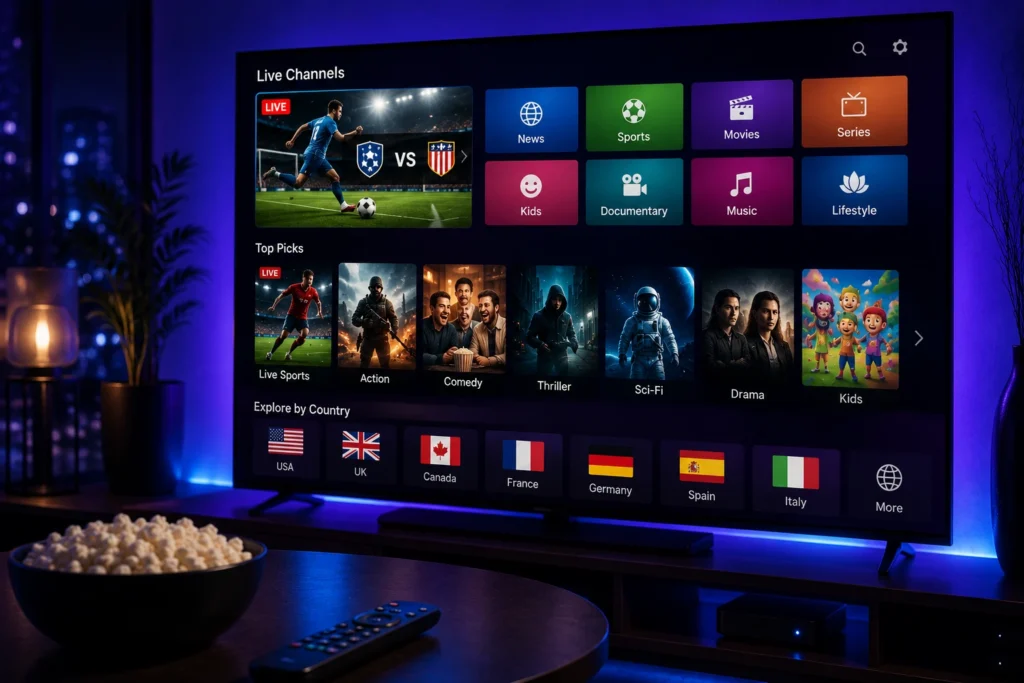
Streaming technology has changed the way people watch television at home. Instead of depending on a single television system, viewers can now use dedicated streaming devices to access internet-based entertainment on almost any compatible screen.
This has made IPTV for streaming devices an increasingly practical option for people who want to watch live TV, sports, movies, series, news, and international programming through an internet connection.
From compact streaming sticks to Android-based TV boxes and other connected media players, different devices can provide different levels of compatibility, performance, and convenience. Choosing the right combination of device, IPTV application, internet connection, and service can therefore make a significant difference to the viewing experience.
In this guide, we will look at how IPTV works with streaming devices, the main advantages, the types of devices available, important features to consider, and how to choose the right setup for your needs.
What Is IPTV for Streaming Devices?
IPTV stands for Internet Protocol Television. It refers to the delivery of television content through an internet connection rather than traditional cable, satellite, or terrestrial broadcasting.
IPTV for streaming devices means accessing compatible IPTV services through a connected device such as a streaming stick, Android TV box, Google TV device, or another supported media player.
The streaming device connects to your television and provides access to compatible applications. Once an IPTV application has been installed and configured with valid service information, available content can be displayed on the TV.
Depending on the provider and applicable content rights, an IPTV service may include:
- Live TV channels
- Sports programming
- Movies
- TV series
- News
- International channels
- Entertainment
- Video-on-demand content
The available selection depends on the service, subscription, application, device, and region.
How Does IPTV Work With a Streaming Device?
The basic process is straightforward. The streaming device connects to the internet and communicates with a compatible IPTV application.
After installing the application, users generally enter the login details or playlist information provided by their IPTV service. The application then loads the available content and presents it through the television.
A typical setup involves:
- Connect the streaming device to your TV.
- Connect the device to a reliable internet network.
- Install a compatible IPTV application.
- Enter the required service information.
- Allow the application to load the available content.
- Browse the categories and select what you want to watch.
The exact process varies depending on the device, operating system, IPTV application, and service provider.
Why Use IPTV With a Streaming Device?
A dedicated streaming device can provide additional flexibility when accessing IPTV.
Upgrade an Existing TV
One of the biggest advantages is the ability to add smart functionality to a compatible television.
If your TV does not have the IPTV application you want, a supported streaming device may provide access to a wider selection of applications.
Easy to Move Between TVs
Compact streaming devices can usually be moved between compatible televisions.
This can be useful for people who have more than one TV at home and want a flexible entertainment setup.
Access to More Applications
Different streaming platforms support different application ecosystems. A dedicated device may provide access to applications that are unavailable on your television’s built-in platform.
This gives users more flexibility when selecting an IPTV player.
Simple Remote-Control Experience
Most streaming devices are designed for television use and come with remote controls.
This can make browsing channels, opening applications, and navigating menus more convenient than using a computer connected to the TV.
Main Types of Streaming Devices for IPTV
Not every streaming device works in exactly the same way. The operating system, application store, hardware, and available IPTV apps can all differ.
Streaming Sticks
Streaming sticks are small devices that connect directly to an HDMI port.
They are designed to be compact and easy to install, making them suitable for users who want to add streaming capabilities without purchasing a new television.
Compatibility with specific IPTV applications should always be checked before buying.
Android TV Boxes
Android TV boxes can offer a flexible environment for compatible IPTV applications.
Depending on the model and operating system, users may have access to a variety of media applications and configuration options.
Performance can vary significantly between devices, so hardware specifications are worth considering.
Google TV Devices
Google TV devices provide access to a broad range of streaming applications through the Google ecosystem.
They can be useful for viewers who want a modern interface and access to compatible IPTV applications alongside other entertainment services.
Built-In Smart TV Platforms
Although they are not separate streaming devices, Smart TV platforms can also provide IPTV functionality through compatible applications.
For users whose television already supports the application they need, an additional device may not be necessary.
Benefits of IPTV for Streaming Devices
Flexible Device Compatibility
A major benefit of using a dedicated streaming device is flexibility.
Instead of being limited entirely by the applications available on a particular television, users can choose a device based on the operating system and applications they need.
Convenient Streaming
Once configured correctly, the streaming device can provide a simple way to access IPTV content from the TV.
The experience can feel similar to using other modern streaming applications, with categories and content available through a remote-controlled interface.
Support for High-Quality Video
Many modern streaming devices support HD, Full HD, and in some cases 4K video.
However, the final picture quality depends on the IPTV stream, application, television, device capabilities, and internet connection.
Portable Entertainment
Some streaming devices are small enough to carry easily.
This can make them convenient for users who want to use a compatible device in different locations, provided the device, service, network, and applicable usage conditions allow it.
What Features Should You Look For?
Choosing the right streaming device is important if you want a smooth IPTV experience.
Application Compatibility
The first thing to check is whether the device supports the IPTV application you intend to use.
A powerful device is not particularly useful if your preferred application cannot run on it.
Processing Performance
The device’s processor and available memory can affect how quickly applications open and how smoothly menus operate.
Devices with better hardware may handle demanding applications more comfortably, particularly when several applications are installed.
Video Resolution Support
If you have a 4K television, consider a device that supports the resolution you want to use.
Keep in mind that the device supporting 4K does not mean every IPTV channel or stream will be available in 4K.
Storage
Some applications and additional streaming services require storage space.
While IPTV players themselves may not always need significant storage, having sufficient space can make the device more convenient for general use.
Wi-Fi and Network Support
A reliable network connection is essential for IPTV.
If the device supports modern Wi-Fi standards, it may provide better performance in suitable home network conditions. Ethernet support can also be useful on devices that offer a wired connection.
How to Choose the Best IPTV for Streaming Devices
The best setup depends on your television, preferred applications, internet connection, and viewing habits.
Check Your TV Connection
Make sure your television has the appropriate HDMI input or connection required by the streaming device.
Most modern streaming devices use HDMI, but checking the TV ports before purchasing is always worthwhile.
Check IPTV App Availability
Before choosing a device, verify that the IPTV application you want is supported on its operating system.
This is one of the most important compatibility checks because applications are not available on every platform.
Consider Your Internet Connection
Your internet connection can have a major impact on IPTV performance.
A fast but unstable connection may still produce buffering. For this reason, network stability is often just as important as download speed.

Match the Device to Your TV
There is little reason to purchase an expensive high-performance device if your television and viewing habits do not require it.
On the other hand, users with a modern 4K television may benefit from a device capable of handling higher-resolution content and demanding applications.
Consider Long-Term Support
Software updates can improve security, compatibility, and performance.
When comparing devices, consider whether the manufacturer regularly supports the operating system and applications.
IPTV Applications and Streaming Devices
The IPTV application is an important part of the overall setup.
The application usually acts as a player and interface rather than being the source of television content. Users add their authorized service information to the application, after which the available content can be displayed.
When choosing an IPTV application, useful features may include:
- Simple navigation
- Playlist support
- Electronic Program Guide
- Search functionality
- Organized categories
- Playback controls
- Multiple quality options
- Compatibility with the streaming device
A good application can make everyday IPTV use much easier, particularly when a service contains a large amount of content.
Internet Requirements for IPTV
The streaming device is only one part of the equation. Your internet connection also plays an important role.
Live television and high-resolution video require a consistent connection. If the network becomes unstable, you may experience buffering, freezing, quality drops, or interruptions.
For a better experience:
- Keep your router in a suitable location.
- Avoid unnecessary network congestion.
- Use Ethernet when practical.
- Make sure your Wi-Fi signal is strong.
- Close unnecessary downloads or high-bandwidth activities.
- Keep your streaming device software updated.
If several people are using the same network at the same time, available bandwidth can also be divided between multiple devices.
Choosing a Reliable IPTV Service
The streaming device alone cannot guarantee a good IPTV experience. The service itself also matters.
Before subscribing, consider:
- Device compatibility
- Application compatibility
- Streaming stability
- Available video quality
- Relevant content categories
- Customer support
- Subscription terms
- Service policies
- Content licensing
Avoid choosing a service based only on an extremely large channel count. A smaller selection that matches your viewing needs and works reliably may provide more value.
It is also important to use IPTV services that have the appropriate rights and licenses to distribute the content they offer.
Need Help Choosing IPTV for Streaming Devices?
Finding the right combination of streaming device, IPTV application, and service can be confusing, especially when different platforms have different compatibility requirements.
If you need help understanding your options, you can contact My Stream Nova directly for information about compatible devices, applications, setup requirements, and available subscription options.
Contact My Stream Nova on WhatsApp
How to Set Up IPTV on a Streaming Device
Once you have selected a compatible streaming device and IPTV application, the setup process is usually straightforward.
Start by connecting the device to your television through the appropriate HDMI port. Complete the initial device setup, connect it to your home network, and make sure the operating system is up to date.
Next, install a compatible IPTV application through the device’s official application platform. Depending on the application, you may need to enter your subscription credentials, playlist information, or another form of authorized access.
After the information has been added, allow the application to synchronize the available content. You can then organize the categories, adjust the settings, and start streaming.
Always follow the instructions provided by your IPTV application and service provider.
How to Improve IPTV Streaming Performance
Even with a good streaming device, a few simple adjustments can help improve performance.
Use a Stable Network
A stable internet connection is essential for uninterrupted IPTV streaming.
If your streaming device is connected through Wi-Fi, make sure it receives a strong signal from the router. If the device supports Ethernet, a wired connection can provide greater consistency in some home environments.
Restart the Device Occasionally
Like other connected electronics, streaming devices can sometimes experience temporary software or network issues.
If an IPTV application becomes slow, stops responding, or fails to load content correctly, restarting the streaming device can resolve temporary problems.
Keep Software Updated
Check for operating system and application updates regularly.
Updates can improve compatibility, fix bugs, strengthen security, and sometimes improve overall performance.
Close Unnecessary Applications
If several applications are open or running in the background, available system resources may be reduced.
Closing applications you are not using can help keep the device responsive, especially on devices with limited hardware resources.
How to Reduce IPTV Buffering
Buffering is one of the most common problems users experience with internet streaming.
It can have several causes, including network congestion, weak Wi-Fi, device performance, application issues, or instability affecting a particular stream.
Check Your Internet Connection
Start by testing your connection before changing other settings.
If websites, other streaming platforms, or downloads are also unusually slow, the problem may be related to your home network or internet provider.
Improve Your Wi-Fi Signal
If the streaming device is far from the router, walls and other obstacles can weaken the wireless signal.
Moving the router closer to the device or improving your home Wi-Fi coverage can help.
Use Ethernet When Available
For streaming devices that support Ethernet, a wired connection can be a useful alternative to Wi-Fi.
It removes many sources of wireless interference and can provide a more consistent connection.
Reduce Network Traffic
Large downloads, cloud backups, online gaming, and multiple simultaneous video streams can consume significant bandwidth.
If IPTV is buffering, temporarily reducing other high-bandwidth activities can help determine whether network congestion is contributing to the problem.
Lower Video Quality if Necessary
High-resolution streams require more bandwidth.
If your connection struggles with 4K content, switching to Full HD or HD may provide smoother playback without significantly affecting the viewing experience.
Best Practices for IPTV on Streaming Devices
A few simple habits can help keep your IPTV setup running smoothly.
Keep Enough Storage Available
Streaming devices need storage for applications, system updates, and temporary data.
If the device is almost full, removing applications you no longer use can help keep it organized.
Avoid Overheating
Some compact streaming devices can become warm during extended use.
Make sure the device has adequate ventilation and is not covered by other electronics or placed somewhere that prevents heat from escaping.
Use the Correct Power Supply
Always use the recommended power adapter or power source for your streaming device.
Insufficient or unstable power can sometimes cause unexpected restarts or performance problems.
Keep Your Router Updated
Your IPTV performance also depends on the network equipment behind the streaming device.
Keeping your router firmware updated and maintaining a good Wi-Fi configuration can contribute to a more reliable connection.
Common IPTV Problems and Solutions
IPTV Application Is Not Available
If you cannot find your preferred IPTV application, check whether it supports the operating system of your streaming device.
Not every application is available on every platform.
If the application is unsupported, you may need to use another compatible player or a different streaming device.
IPTV App Opens but Content Does Not Load
First, check your internet connection and confirm that the service information has been entered correctly.
If other applications work normally but the IPTV content does not load, contact the service provider to determine whether there is a problem with your account or the particular service.
Channels Keep Freezing
Check your network stability and Wi-Fi signal first.
If the problem affects only certain channels while other content plays normally, the issue may be related to the specific stream rather than your entire setup.
The Device Is Running Slowly
If menus take a long time to respond, restart the device and close unused applications.
You can also check whether the device has enough available storage and whether system updates are pending.
IPTV Quality Looks Poor
Poor picture quality can be caused by the source stream, internet connection, application settings, or television settings.
Check whether the content is actually available in HD or 4K and make sure the streaming device and TV support the selected resolution.
IPTV on Different Streaming Platforms
The best setup can vary depending on the platform you use.
Android-Based Devices
Android-based streaming devices can offer considerable flexibility because many compatible media applications are available through the Android ecosystem.
They can be a practical choice for users who want more application options and customization.
Google TV Devices
Google TV provides a modern interface for organizing streaming applications and entertainment services.
When a compatible IPTV application is available, users can integrate IPTV into the same television environment used for their other streaming services.
Streaming Sticks
Streaming sticks are compact and easy to install, making them attractive for users who want a simple solution without purchasing a larger TV box.
Their main limitation is that application availability and hardware performance can vary between models.
Streaming Device vs Smart TV for IPTV
Both options can work well, but each has different advantages.
A Smart TV with native IPTV application support can be the simplest option because everything is integrated into one television.
A dedicated streaming device can be more flexible when your TV does not support a preferred IPTV application or when you want to upgrade the streaming platform without replacing the television.
A streaming device can also be replaced separately if you want newer hardware later.
The best choice therefore depends on your television, preferred applications, budget, and how much flexibility you want from your setup.
Frequently Asked Questions
Can I use IPTV on any streaming device?
Not necessarily. The device needs to support a compatible IPTV application and operating system. Always check application compatibility before purchasing a device.
Do I need a Smart TV to use IPTV with a streaming device?
No. A compatible streaming device can add internet-based streaming functionality to a television that has a suitable HDMI input.
Can IPTV work on a 4K streaming device?
Yes, provided the IPTV application, content source, television, and internet connection support 4K streaming.
Why is IPTV buffering on my streaming device?
Buffering can be caused by weak Wi-Fi, network congestion, insufficient bandwidth, device issues, application problems, or instability affecting a particular stream.
Is Ethernet better than Wi-Fi for IPTV?
Ethernet can provide a more consistent connection because it avoids many wireless interference problems. However, a strong Wi-Fi connection can also provide excellent streaming performance.
Can I move my streaming device between TVs?
Many compact streaming devices can be moved between compatible televisions. You should make sure the destination TV has the required connection and that the network and service can be used there.
Does the streaming device determine IPTV picture quality?
Not by itself. Picture quality depends on the source stream, IPTV service, application, device capabilities, television, and internet connection.
How can I make my IPTV application faster?
Restarting the device, closing unused applications, keeping the software updated, maintaining sufficient storage, and using a stable network can all help improve performance.
Why Choose My Stream Nova?
The right IPTV experience depends on more than the streaming device you use. A compatible service, reliable connection, suitable application, and straightforward support are equally important.
My Stream Nova provides IPTV service options designed for users who want to access live television and entertainment through compatible devices and applications.
Before choosing a subscription, make sure your streaming device is supported and review the service information carefully. This helps ensure that your setup matches your television, application, and viewing preferences.
If you are unsure which setup is suitable for you, the My Stream Nova team can help with general questions about compatibility and getting started.
Get Help With Your IPTV Setup
Need help choosing a compatible streaming device or IPTV application?
You can contact My Stream Nova directly for assistance with general setup and compatibility questions.
Chat with My Stream Nova on WhatsApp
Whether you use a streaming stick, Android-based device, Google TV device, or another compatible platform, getting the right combination of hardware, application, network, and service can make your IPTV experience much smoother.
Conclusion
IPTV for streaming devices gives viewers a flexible way to bring internet-based television and entertainment to a wide range of compatible screens.
The best experience comes from choosing the right device, using a compatible IPTV application, maintaining a stable internet connection, and selecting a service that matches your viewing needs.
If you experience buffering or performance issues, start with the basics: check your network, improve your Wi-Fi or use Ethernet, restart the device, update your software, and make sure the application and service are compatible.
With the right setup, a streaming device can provide a convenient and flexible way to enjoy live TV, sports, movies, series, and other available entertainment from your television.