
Modern television has moved far beyond traditional cable and satellite viewing. Smart TVs now combine large high-resolution displays with internet connectivity, applications, and streaming platforms, giving viewers more control over how they watch entertainment.
For Hisense owners, this opens the door to a variety of internet-based viewing options. IPTV for Hisense Smart TV can be an attractive choice for viewers who want to access live television and other available content through a compatible IPTV application or supported streaming device.
However, choosing an IPTV setup for a Hisense television requires more than simply searching for an application and installing it. Hisense televisions can use different operating systems depending on the model and market, and application compatibility can therefore vary. Your internet connection, television hardware, IPTV player, and service also influence the final viewing experience.
This guide explains everything you should understand before setting up IPTV on a Hisense Smart TV, including compatibility, available setup methods, important features, picture quality, content categories, and how to choose a suitable service.
What Is IPTV for Hisense Smart TV?
IPTV stands for Internet Protocol Television. Unlike traditional television systems that rely on cable, satellite, or terrestrial broadcasting, IPTV delivers television content through an internet connection.
IPTV for Hisense Smart TV refers to using a Hisense television to access a compatible IPTV service through an IPTV application, supported platform, or external streaming device.
Depending on the service and applicable content rights, IPTV may provide access to different categories such as:
- Live television
- Sports
- Movies
- TV series
- News
- International programming
- Entertainment
- Video-on-demand content
The exact selection depends on the IPTV provider, subscription, application, device, and region.
One important distinction is that an IPTV player and an IPTV service are not necessarily the same thing. The player provides the interface used to access streams, while the service provides the authorized content and access information.
How Does IPTV Work on a Hisense TV?
The basic concept is relatively simple.
Your Hisense Smart TV connects to the internet through Wi-Fi or, where supported, Ethernet. A compatible IPTV application then communicates with the IPTV service using the access information supplied by the provider.
Once the information has been successfully added, the application can organize available content into categories such as live channels, movies, series, or other programming.
A typical setup looks like this:
Internet connection → Hisense Smart TV → IPTV application → Authorized IPTV service → Available content
The exact setup process depends on the Hisense model, operating system, application, and provider.
This is why checking compatibility before purchasing a subscription is important.
Hisense Smart TV Operating Systems and Compatibility
One of the most important things to understand about IPTV for Hisense Smart TV is that not every Hisense television uses exactly the same software platform.
Depending on the model and market, Hisense televisions can be built around different smart TV ecosystems. This can affect which applications are available and how IPTV can be configured.
For example, one Hisense television may provide access to an application ecosystem that supports a particular IPTV player, while another model may use a different platform.
Before choosing an IPTV service, identify:
- Your exact Hisense TV model
- The operating system or smart TV platform
- Your TV’s software version
- Available application store
- Supported IPTV applications
- Available network connections
This simple compatibility check can save you from choosing an application that your television cannot actually run.
Can You Use IPTV Directly on a Hisense Smart TV?
In some cases, yes.
If your Hisense television’s operating system supports a compatible IPTV application, you may be able to install the player directly on the TV and configure it using your authorized service information.
This is usually the most convenient approach because you do not need another device connected to the television.
However, direct application availability should never be assumed. It depends on the specific TV model, platform, region, and application.
If your preferred IPTV player is unavailable, there are other options.
Using an External Streaming Device With Hisense
An external streaming device can provide an alternative when the built-in Hisense platform does not support the IPTV application you want.
The device connects to the television, normally through HDMI, and provides its own operating system and application environment.
This can be useful because the external device may support applications that are unavailable on the television itself.
For example, an external streaming device can potentially provide:
- A different application ecosystem
- Additional IPTV player choices
- A newer processor
- Improved application performance
- Additional streaming features
- An upgrade path without replacing the TV
The important thing is to check compatibility between all three components: the Hisense TV, the streaming device, and the IPTV application.
Why Choose IPTV for Hisense Smart TV?
There are several reasons viewers may prefer IPTV over relying exclusively on traditional television options.
One Screen for Multiple Types of Entertainment
A modern Hisense Smart TV can serve as a central entertainment screen.
Depending on the IPTV service, viewers may be able to access live television alongside other available entertainment categories through a compatible application.
This can reduce the need to switch between several pieces of hardware during everyday viewing.
Large-Screen Experience
One of the biggest advantages of using IPTV on a Smart TV is the screen size.
Watching a movie, live sports event, or television program on a large display can provide a much more comfortable experience than watching the same content on a phone or laptop.
Flexible Application Options
When the TV platform supports suitable IPTV applications, users can choose an interface that matches their preferences.
Different IPTV players can offer different features, layouts, search functions, and playlist management options.
Access to Internet-Based Television
IPTV gives viewers another way to access television content through an existing home internet connection.
This can be particularly convenient for households that already rely heavily on internet-based entertainment.
What Types of Content Can IPTV Provide?
The content available through IPTV depends on the provider and applicable licensing. A good service should clearly explain what content is included and where it is authorized to distribute it.
Live Television
Live TV is one of the most common IPTV categories.
Depending on the service, viewers may find news, entertainment, documentary, lifestyle, and other television channels.
Sports
Sports programming can be particularly appealing to viewers who want access to live events and sports-related channels.
Because live sports are time-sensitive, connection stability is especially important. Even short interruptions can affect the viewing experience.
Movies
Some IPTV services provide movie channels or video-on-demand libraries.
For movie viewers, the organization of the catalog can be just as important as the number of titles. Clear categories and search tools make it easier to find something suitable.
TV Series
Depending on the service, users may also find on-demand television series.
The available titles can vary considerably, so it is better to check the actual content offered rather than assuming every provider has the same library.
News and International Programming
International channels can be useful for multilingual households and viewers who follow television from different countries.
Depending on the service, international programming may include news, sports, entertainment, and general television content.
HD, Full HD, and 4K IPTV on Hisense
Picture quality is another major consideration.
Many modern Hisense televisions support high-resolution displays, including Full HD and 4K on suitable models. However, the TV’s maximum resolution is only one part of the equation.
For a genuine high-quality IPTV experience, several components need to work together:
IPTV source + application + network + streaming device + television
If the original stream is only HD, a 4K television cannot transform it into genuine 4K content.
Similarly, having a 4K stream does not guarantee smooth playback if the internet connection is unstable.
What Determines IPTV Picture Quality?
Several factors can affect the final image:
- Source video quality
- IPTV service stability
- Available bitrate
- Internet connection
- IPTV application
- TV processing
- Streaming device capabilities
- Display resolution
This is why it is better to evaluate the complete setup instead of focusing only on a provider’s advertised resolution.
Internet Requirements for IPTV on Hisense
A reliable internet connection is one of the most important parts of an IPTV setup.
Streaming television is different from ordinary web browsing because video continuously consumes bandwidth while the content is playing.
A connection can appear fast during a basic speed test but still experience problems if it has high instability, congestion, or weak Wi-Fi coverage.
For better performance:
- Use a reliable broadband connection.
- Keep the TV within good Wi-Fi range.
- Use Ethernet when supported and practical.
- Reduce unnecessary network traffic.
- Avoid large downloads while watching high-resolution content.
- Check your network if multiple devices are streaming simultaneously.
For higher-resolution content, consistency matters just as much as speed.
Wi-Fi vs Ethernet for Hisense IPTV
Both Wi-Fi and Ethernet can work for IPTV, but they have different characteristics.
Wi-Fi
Wi-Fi is convenient because there are no cables running from the router to the television.
A strong modern Wi-Fi connection can provide excellent streaming performance, especially when the router is reasonably close to the TV.
However, wireless performance can be affected by distance, walls, interference, and congestion.
Ethernet
Ethernet connects the television or streaming device directly to the router.
A wired connection can provide greater consistency and eliminate many wireless interference issues.
For viewers experiencing frequent buffering despite having a good internet plan, Ethernet can be worth considering when supported.
How to Choose the Best IPTV for Hisense Smart TV
Choosing an IPTV service should involve several factors rather than price alone.
1. Check Device Compatibility
First, make sure the service and IPTV player work with your exact Hisense setup.
This is especially important because different Hisense models can use different smart TV platforms.
2. Consider the Content You Actually Watch
Do not choose a service simply because it advertises a huge number of channels.
Think about your own viewing habits.
If you mainly watch sports, prioritize relevant sports programming. If you prefer movies and series, look at the available on-demand content. If you need international television, check whether the countries and languages you want are actually supported.
3. Look at Streaming Stability
A large content selection is not very useful if streams constantly freeze.
Look for information about service reliability, application compatibility, and support.
4. Check Available Video Quality
If your Hisense TV supports 4K, check whether the service actually provides suitable 4K content where available.
Also make sure your internet connection can handle the required quality.
5. Review Customer Support
Technical questions can happen with any internet-based service.
Responsive support can make it easier to resolve compatibility, setup, or account-related issues.
6. Check the Terms and Content Rights
Before subscribing, review the provider’s terms, supported devices, subscription conditions, refund policies if applicable, and information about content licensing.
Use IPTV services that are authorized to distribute the content they provide.
IPTV Application Features Worth Considering
The application you use can have a surprisingly large effect on the overall experience.
A good IPTV player may offer features such as:
Electronic Program Guide
An EPG can make live television easier to navigate by showing program information and schedules where supported.
Search
Search functionality becomes particularly useful when a service contains a large amount of content.
Organized Categories
Clear categories can make it easier to move between live TV, sports, movies, series, and other available content.
Multiple Playback Options
Depending on the application, users may have access to different playback controls, audio options, subtitles, or quality settings.
Simple Interface
A complicated interface can make everyday viewing frustrating.
A clean layout with straightforward navigation can make a significant difference, particularly when the television is being used by multiple family members.
Is IPTV Worth Using on a Hisense Smart TV?
For many viewers, IPTV can be a convenient addition to a Smart TV setup, especially when they want flexible access to internet-based television.
However, the value depends on the quality of the service, application compatibility, available content, internet connection, and viewing habits.
A good setup should make it easy to find the content you want without creating unnecessary technical problems.
The goal should not simply be to find the service with the biggest channel number. The better approach is to find a compatible, reliable, and appropriately licensed service that matches your actual viewing needs.
Need Help Choosing IPTV for Hisense Smart TV?
If you are unsure which IPTV application is compatible with your Hisense Smart TV, or whether you should use the TV directly or connect an external streaming device, My Stream Nova can help with general setup and compatibility questions.
Contact My Stream Nova on WhatsApp
Before subscribing, make sure you know your Hisense model and the platform it uses. This makes it much easier to determine which IPTV setup is appropriate.
How to Set Up IPTV on a Hisense Smart TV
Once you have confirmed that your Hisense television supports the IPTV application you want to use, the setup process is usually straightforward.
Start by connecting the TV to a reliable internet connection. If you are using Wi-Fi, make sure the signal is strong. If your TV or streaming device supports Ethernet, a wired connection can also be considered.
Next, open the appropriate application platform on your Hisense TV and install a compatible IPTV player when available.
After opening the player, enter the authorized login credentials, playlist information, or other access details provided by your IPTV service. Give the application time to synchronize the available content before browsing the categories.
The exact steps can vary depending on your Hisense model, operating system, IPTV application, and service provider.
How to Optimize IPTV on Hisense Smart TV
A properly configured television and network can make a noticeable difference to IPTV performance.
Keep Your Hisense TV Updated
Check the television settings periodically for available software updates.
Updates can improve system stability, application compatibility, and overall performance. They may also resolve problems caused by older versions of the TV software.
Keep Your IPTV Application Updated
If the IPTV player has an available update through its supported application platform, keeping it current can help prevent compatibility and playback issues.
Restart Your TV Regularly
A simple restart can clear temporary system processes and resolve minor application problems.
If an IPTV application suddenly becomes slow, freezes, or refuses to load, restarting the television is a useful first troubleshooting step.
Keep Your TV Storage Organized
If your television platform allows multiple applications, remove applications that you no longer use.
Keeping the device organized can make it easier to manage applications and may help avoid unnecessary storage limitations.
How to Reduce IPTV Buffering on Hisense TV
Buffering is one of the most common IPTV complaints, but it does not always mean that the IPTV service is the problem.
The cause can be related to your Wi-Fi, router, internet provider, TV, application, or even a specific stream.
Test Your Internet Connection
Start by checking whether other online services work normally.
If multiple streaming platforms are also buffering, the issue may be related to your internet connection rather than IPTV.
Improve Your Wi-Fi Signal
Distance and physical obstacles can reduce Wi-Fi performance.
If your Hisense TV is far away from the router, consider improving your wireless coverage or moving the router to a more suitable location.
Use Ethernet When Available
If your TV or external streaming device supports Ethernet, a wired connection can provide a more consistent connection.
This can be particularly useful for viewers who experience interruptions on Wi-Fi despite having a suitable internet plan.
Reduce Network Congestion
Several devices using the same network can divide available bandwidth.
Large downloads, cloud backups, online gaming, and multiple simultaneous streams can affect IPTV playback.
When watching high-resolution content, reducing unnecessary network activity can help.
Lower the Streaming Quality
Higher-resolution streams require more bandwidth.
If your connection struggles with 4K content, try Full HD or HD where available. A slightly lower resolution with stable playback can provide a better viewing experience than a higher resolution that constantly buffers.
Test Different Channels
If only one channel freezes while other channels work correctly, the issue may be related to that particular stream.
Testing several channels can help determine whether the problem is local to your setup or limited to specific content.
How to Improve IPTV Picture Quality
A modern Hisense TV may support high-resolution displays, but several components determine the actual quality you see.
Choose the Appropriate Stream Quality
If your service provides multiple quality options, choose one that matches your internet connection and television.
For example, 4K content can look excellent on a compatible TV, but it requires a suitable source and a stable network.
Check Your TV Picture Settings
Hisense televisions provide different picture settings depending on the model.
You can adjust settings such as brightness, contrast, sharpness, and picture mode according to your room and viewing preferences.
Avoid making extreme adjustments simply to increase sharpness, as excessive processing can sometimes make the image look less natural.
Check the Source Resolution
If a channel or movie is supplied in a lower resolution, changing the TV settings cannot create genuine higher-resolution detail.
The original stream remains one of the most important factors affecting picture quality.
Using an External Streaming Device With Hisense
An external streaming device can be an excellent option when your Hisense TV does not support the IPTV application you want.
The device connects to the TV through HDMI and provides its own application ecosystem.
This can give you access to additional IPTV players and may also provide newer hardware than the television’s built-in system.
When choosing an external device, consider:
- IPTV application compatibility
- Operating system
- Video resolution support
- Wi-Fi capabilities
- Ethernet availability
- Available storage
- Software support
- HDMI compatibility
There is no need to replace a working television simply because its built-in application selection does not include your preferred IPTV player.
Built-In IPTV App vs External Device
Both approaches have advantages.
A built-in IPTV application can provide the simplest setup because everything is managed directly through the TV.
An external streaming device may provide greater flexibility because you can choose a different platform and application ecosystem.
Built-In App
Advantages:
- No additional hardware
- Simple remote-control experience
- Less equipment around the TV
- Direct integration with the television
External Streaming Device
Advantages:
- More application options
- Potentially newer hardware
- Easier platform upgrades
- Useful when the TV does not support a preferred IPTV player
The best option depends on your Hisense model and the application you want to use.
Common IPTV Problems on Hisense Smart TV
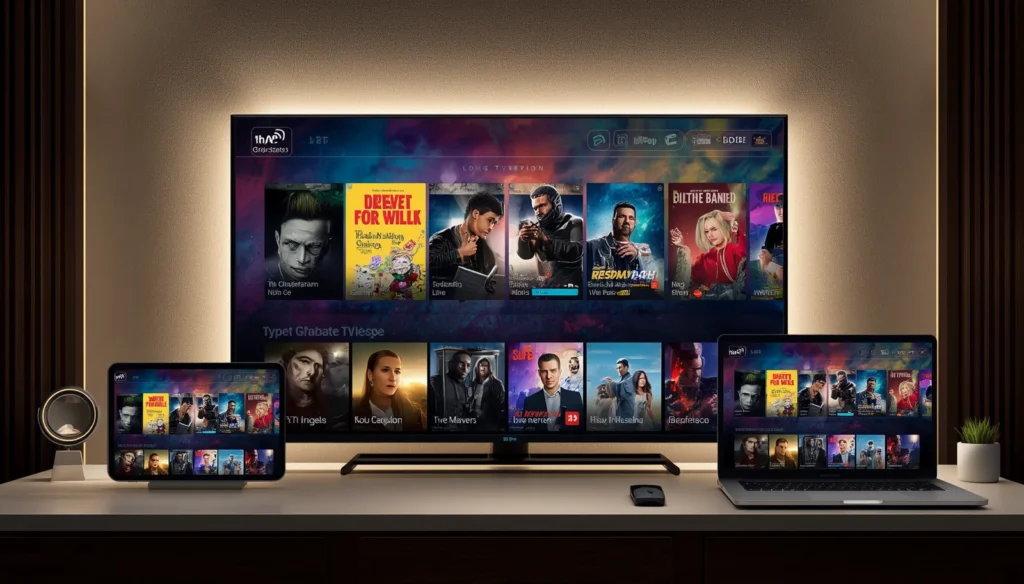
IPTV Application Cannot Be Found
If your preferred IPTV application does not appear in the available application store, check your TV model and operating system.
Application availability can vary between platforms and regions.
If the application is not supported, an external streaming device may provide another solution.
IPTV Application Opens but Content Does Not Load
Check your internet connection first.
Then verify that the service information was entered correctly. If the information is correct and other internet applications work normally, contact the IPTV provider for assistance.
IPTV Keeps Freezing
Test another channel and check your network.
If every channel freezes, investigate your internet connection and Wi-Fi signal. If only one or a few streams are affected, the issue may be specific to those streams.
IPTV Has Audio but No Picture
Restart the application and TV first.
If the issue continues, check whether the application and television support the video format being used by the particular stream.
IPTV Has Picture but No Sound
Check the TV volume, mute settings, and audio output configuration.
Try another channel to determine whether the issue is system-wide or specific to one stream.
IPTV Quality Drops Frequently
Automatic quality changes can occur when network conditions fluctuate.
Check your Wi-Fi stability and network usage. If the application allows manual quality selection, choosing a suitable resolution may help.
How to Get a Better IPTV Experience on Hisense
A good IPTV setup is based on several components working together.
1. Use a Reliable Service
Choose a service that provides the content you actually need and clearly explains supported devices and applications.
2. Use a Compatible Player
Do not install an IPTV application simply because it works on another TV. Verify compatibility with your exact Hisense platform.
3. Maintain a Stable Network
A reliable internet connection is one of the most important parts of streaming.
4. Match Quality to Your Connection
Choose HD, Full HD, or 4K based on your network and available content.
5. Keep Everything Updated
Your TV, IPTV application, router, and external streaming device should be kept reasonably up to date.
6. Avoid Unnecessary Network Traffic
Reducing simultaneous downloads and high-bandwidth activities can help maintain consistent streaming.
IPTV Security and Safe Setup Practices
When installing IPTV applications, it is important to be careful about where software comes from.
Use official application stores or trusted sources whenever possible. Avoid installing unknown applications simply because they promise access to a large number of channels.
You should also protect your account credentials and avoid sharing login information publicly.
A legitimate IPTV setup should clearly explain its service terms, supported devices, and content rights.
Frequently Asked Questions
Can I install IPTV directly on a Hisense Smart TV?
It depends on the exact Hisense model and operating system. If a compatible IPTV application is available for your platform, you may be able to install it directly.
What if my Hisense TV does not support my IPTV application?
A compatible external streaming device can provide another way to access the IPTV application.
Does IPTV require a satellite dish?
No. IPTV uses an internet connection rather than satellite transmission.
Can I watch IPTV in 4K on Hisense?
Yes, if the IPTV source, application, television, and internet connection support 4K streaming.
Why does IPTV buffer on my Hisense TV?
Possible causes include weak Wi-Fi, network congestion, insufficient bandwidth, application problems, TV performance, or instability affecting a particular stream.
Is Ethernet better than Wi-Fi for IPTV?
Ethernet can provide a more consistent connection and reduce wireless interference. However, a strong Wi-Fi connection can also provide reliable IPTV streaming.
Can I use an external streaming device with Hisense?
Yes, when the television has a compatible HDMI connection and the external device supports the required applications and resolution.
How do I improve IPTV quality on Hisense?
Use a stable internet connection, choose an appropriate stream quality, keep your TV and IPTV application updated, and reduce unnecessary network traffic.
Can IPTV work on older Hisense TVs?
It depends on the television’s operating system, hardware, and available applications. If the built-in platform is not compatible, an external streaming device may extend the TV’s capabilities.
Why Choose My Stream Nova?
Choosing an IPTV service is only one part of creating a good streaming setup.
Your Hisense TV, IPTV application, internet connection, and service all need to work together properly.
My Stream Nova provides IPTV service options for viewers who want to access available television and entertainment content through compatible devices and applications.
Before subscribing, check your exact Hisense model and make sure the intended application or streaming device is supported.
If you are unsure which setup is suitable, contacting the provider before purchasing can help you understand your available options.
Get Help With Your IPTV Setup
Need help checking your Hisense compatibility or choosing the right IPTV setup?
Contact My Stream Nova on WhatsApp
The My Stream Nova team can provide general guidance about compatible applications, devices, setup requirements, and subscription options.
Conclusion
IPTV for Hisense Smart TV can provide a flexible way to access internet-based television and entertainment from a modern large-screen TV.
The quality of the experience depends on the entire setup: the IPTV service, compatible application, Hisense television, internet connection, and streaming device when one is required.
Before subscribing, check your TV’s exact model and operating system, confirm application compatibility, and make sure your internet connection can support the quality you want.
If you experience buffering or playback problems, start with the basics: test your connection, improve Wi-Fi coverage, reduce network congestion, try Ethernet when available, and choose a suitable video quality.
With the right combination of hardware, software, network, and service, your Hisense Smart TV can become a convenient platform for enjoying live television and other available IPTV entertainment.