
If you have searched for IPTV apps, subscriptions, or streaming solutions, you have probably come across the term Xtream IPTV.
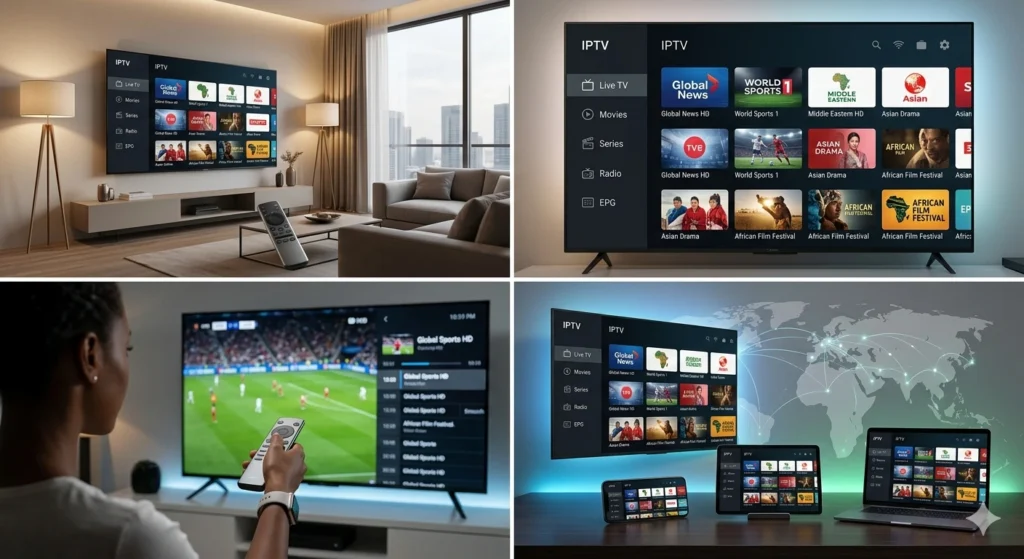
Unlike a traditional television service, IPTV relies on internet connectivity to deliver live television and other digital content to compatible devices. Within this ecosystem, Xtream-based access has become a familiar option because many IPTV players can use Xtream-style login details to organize live channels, movies, series, and electronic program guides in one interface.
However, the terminology can be confusing, especially for people discovering IPTV for the first time.
Is Xtream IPTV an application? Is it a subscription? What are Xtream Codes? How does it work with an IPTV player?
This guide answers these questions and explains the main things you should understand before choosing an IPTV setup.
What Is Xtream IPTV?
The term Xtream IPTV is commonly used to describe IPTV access that uses an Xtream Codes-style API to connect an IPTV player to a service.
Instead of manually entering a long playlist in some applications, users may be given information such as:
- Server or portal URL
- Username
- Password
The compatible IPTV application can then use those credentials to retrieve available categories and content from the service.
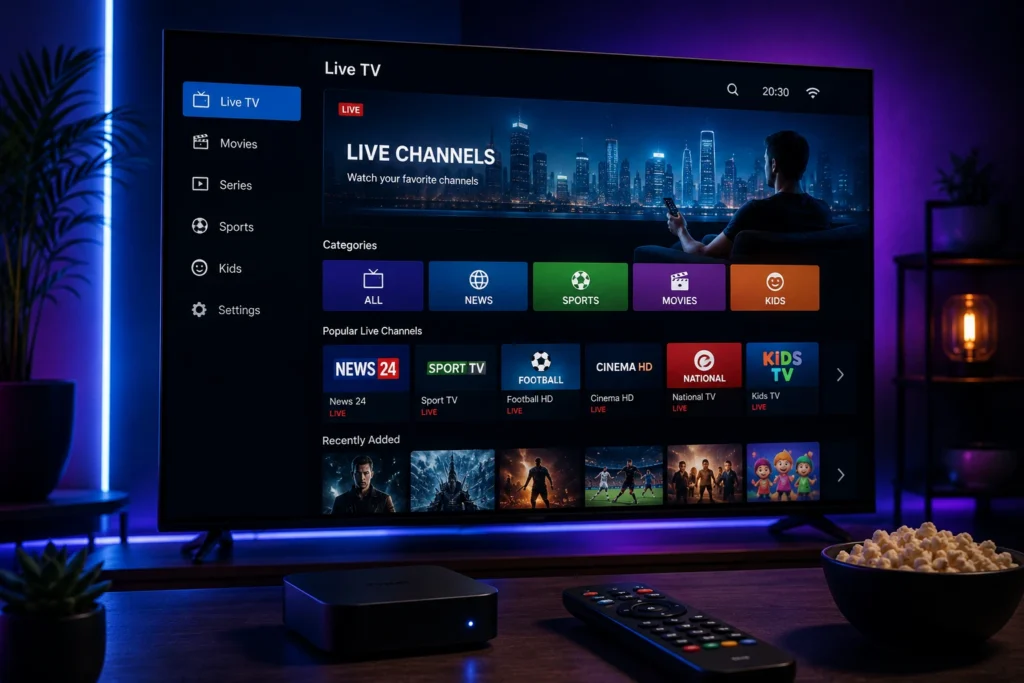
Depending on the provider, the interface may organize content into sections such as live TV, movies, series, and an electronic program guide.
This can make the viewing experience easier to navigate compared with manually managing large playlist files.
Is Xtream IPTV a Service or an App?
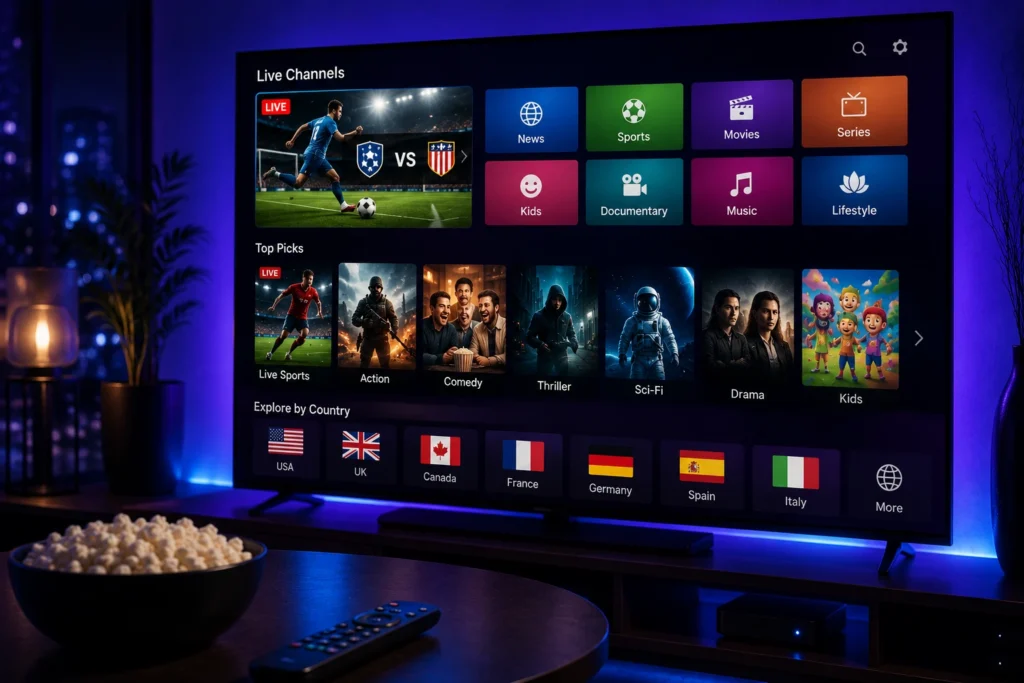
This is one of the most common misunderstandings.
Xtream IPTV is not necessarily the name of a specific IPTV application.
In many situations, the term refers to the method used to connect an IPTV service with a compatible player.
An IPTV provider supplies the access information, while the IPTV player uses that information to display the available content.
For example, a typical setup may look like this:
IPTV Provider → Xtream API Credentials → IPTV Player → Your Device
The application is therefore only the player. The IPTV provider and the streaming service are separate from the application itself.
Understanding this difference can make IPTV setup much easier for beginners.
How Does Xtream IPTV Work?
The process is relatively straightforward from the user’s perspective.
First, you obtain IPTV access from a provider that supports the appropriate connection method.
The provider may give you:
- Username
- Password
- Server URL
- Subscription information
You then enter the required details into a compatible IPTV player.
The application communicates with the provider’s server and retrieves the available content and categories.
Depending on the service, you may then see sections such as:
Live TV
Channels are organized into different groups or categories.
Movies
On-demand movie content may appear separately from live channels.
Series
TV series can be organized into seasons and episodes where supported.
EPG
An Electronic Program Guide can provide information about current and upcoming programming when supported by the service.
This organization is one of the reasons users may prefer Xtream-style access over manually managing playlists.
What Are Xtream Codes?
You will often see the expression Xtream Codes when researching Xtream IPTV.
In general, this refers to the login credentials and API-based connection method used by compatible IPTV players.
The information commonly consists of three elements:
Server URL
This tells the application where the IPTV service is located.
Username
This identifies the subscription or account.
Password
This authenticates the account.
Some IPTV applications ask you to enter these fields separately, while others may provide different connection methods.
It is important to use the exact information supplied by your provider. Even a small mistake in the server address, username, or password can cause the connection to fail.
Why Do People Use Xtream IPTV?
One of the biggest advantages is convenience.
Instead of dealing with a complicated playlist manually, a compatible IPTV player can often organize the available content automatically.
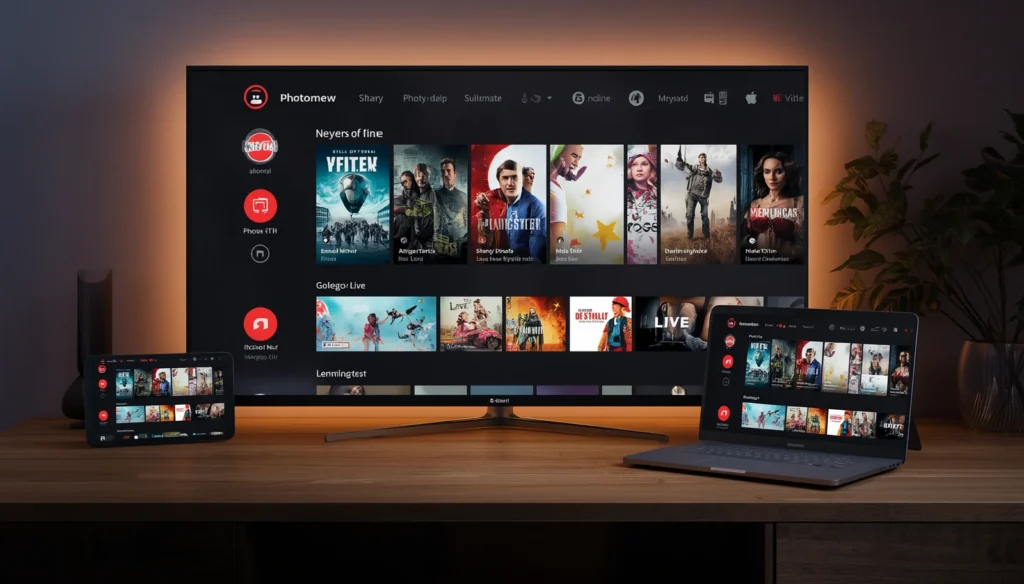
Depending on the application and service, users may benefit from:
- Organized live TV categories
- Movie libraries
- Series sections
- EPG support
- Search functionality
- Favorites
- Multiple categories
- Easier account management
The exact features depend on both the IPTV player and the provider.
Xtream-style access can therefore be particularly useful for viewers who want their IPTV content organized in a familiar interface.
Xtream IPTV and IPTV Players
The player you choose can have a significant impact on the overall experience.
Different applications provide different interfaces and features. Some are designed for Smart TVs, while others focus on Android devices, mobile phones, streaming boxes, or other platforms.
When selecting a player, consider:
- Device compatibility
- Ease of navigation
- EPG support
- Search functionality
- Favorites
- Playback controls
- Playlist management
- Application stability
It is important to remember that the player itself does not determine the quality of the IPTV source.
A well-designed application cannot turn an unstable stream into a stable one.
The provider, network connection, device, and application all contribute to the overall viewing experience.
Can Xtream IPTV Work on Smart TVs?
Yes, compatible IPTV players can support Xtream-style connections on many Smart TV platforms.
However, compatibility depends on the television’s operating system and the specific application available for that platform.
Before subscribing, check:
- Your TV operating system
- Compatible IPTV applications
- Supported login methods
- Internet connection
- Device specifications
For example, someone looking for Xtream IPTV for Smart TV should first determine which IPTV players are available for their particular television.
This avoids purchasing a subscription before confirming that the intended device can use it.
Xtream IPTV on Android Devices
Android-based devices are widely used for IPTV because they support a broad range of applications.
Depending on your setup, this may include:
- Android TV
- Android TV boxes
- Smartphones
- Tablets
- Compatible streaming devices
The general process is similar: install a compatible IPTV player, select the appropriate login method, and enter the credentials supplied by the provider.
If the credentials are correct and the service is compatible, the application can retrieve the available content.
What About iPhone and Apple Devices?
Apple users can also access IPTV through compatible applications, although the available players and supported login methods can differ from Android.
Before installing an application, check whether it supports the connection method provided by your IPTV provider.
This is particularly important because not every IPTV player supports every type of playlist or API connection.
Streaming Quality and Xtream IPTV
Using an Xtream-style connection does not automatically guarantee a particular video quality.
The quality you experience can depend on several factors, including:
- Source quality
- Provider infrastructure
- Internet connection
- Wi-Fi performance
- Device capabilities
- IPTV player
- Network congestion
You may see providers advertise HD, Full HD, or 4K content, but actual playback can vary from one channel to another.
For that reason, evaluating Xtream IPTV streaming quality should involve more than looking at a resolution label.
A stable HD stream can provide a better experience than a higher-resolution stream that constantly buffers.
Internet Connection Requirements
A reliable internet connection is essential for IPTV.
Your connection does not necessarily need to be extremely fast, but it should be stable enough to maintain continuous streaming.
Several factors can affect performance:
- Wi-Fi signal strength
- Router location
- Network congestion
- Other devices using bandwidth
- Internet service interruptions
- Device performance
If you plan to watch high-resolution content, a stable connection becomes even more important.
Choosing an IPTV Provider
Xtream compatibility should not be the only thing you consider when choosing an IPTV provider.
A good comparison should also include:
Content
Check whether the service provides the channels, categories, and on-demand content you actually want.
Reliability
Look for a provider that focuses on consistent streaming rather than simply advertising a huge number of channels.
Device Support
Make sure your preferred Smart TV, Android device, streaming box, phone, or tablet can use the service.
Customer Support
Having access to assistance can be useful when you encounter setup or connection problems.
Subscription Options
Review the available plans and choose one that fits your viewing habits and budget.
If you are considering an Xtream IPTV subscription and want to ask about compatibility, available options, or setup, you can contact My Stream Nova directly.
Message My Stream Nova on WhatsApp
Is Xtream IPTV Right for You?
Xtream-style IPTV access can be a convenient choice if you want your live channels and on-demand content organized through a compatible IPTV player.
It can be particularly useful for people who prefer:
- Organized channel categories
- Simple login credentials
- EPG integration
- Movie and series sections
- Easy navigation
- Support across compatible devices
However, the connection method is only one part of the overall IPTV experience.
Your provider, application, device, and internet connection all matter.
Understanding how these elements work together will make it much easier to build a reliable IPTV setup.
Final Thoughts on Xtream IPTV
Xtream IPTV can sound complicated when you first encounter the terminology, but the basic concept is relatively simple.
A compatible IPTV service provides access credentials, an IPTV player uses those credentials to connect to the service, and your device displays the available content through the application’s interface.
The most important thing is to understand that Xtream-style access is not automatically an IPTV service or an IPTV application. It is a connection method used by compatible services and players.
Before choosing an Xtream IPTV provider, look beyond the login method and evaluate content, compatibility, streaming performance, subscription value, and customer support.
How to Set Up and Troubleshoot Xtream IPTV in 2026

Once you understand how Xtream IPTV works, the next step is setting it up correctly on your preferred device. The process is usually straightforward, but small configuration mistakes can prevent the service from connecting or cause problems during playback.
Whether you are using a Smart TV, Android TV, streaming box, smartphone, or tablet, the same basic principles apply: use a compatible IPTV player, enter the correct credentials, maintain a stable internet connection, and troubleshoot problems systematically.
How to Add Xtream IPTV to an IPTV Player
The exact interface depends on the application you are using, but many compatible IPTV players follow a similar process.
Typically, you will need to select an option such as:
Add Playlist → Xtream Codes API
You may then be asked for:
- Playlist or account name
- Username
- Password
- Server URL
Enter the information exactly as provided by your IPTV provider.
Avoid adding extra spaces or changing the server address. A single incorrect character can prevent the application from connecting.
Once the information has been entered, save the connection and allow the application to load the available categories.
Depending on the service, these may include live television, movies, series, and EPG information.
How to Know If Your Xtream IPTV Setup Is Working
After adding your credentials, give the application a moment to load the account information.
A successful setup will generally allow you to access the categories supplied by the service.
You can then test:
- Several live channels
- Different categories
- Movies or VOD
- Series
- EPG information, if available
Testing several types of content is more useful than checking only one channel.
If everything loads normally, your Xtream IPTV setup is likely configured correctly.
Xtream IPTV Not Working? Check Your Credentials
One of the most common causes of connection problems is incorrect account information.
Double-check:
Username:
Make sure every character matches the information provided.
Password:
Check capitalization and special characters.
Server URL:
Make sure the complete address is entered correctly.
If you copied the information from a message or email, check that you did not accidentally copy an extra space.
If the credentials are correct but the service still does not connect, the issue could be related to the application, device, internet connection, or service itself.
What Does “Invalid Login” Mean?
An invalid login message usually indicates that the application cannot authenticate the credentials you entered.
Possible reasons include:
- Incorrect username
- Incorrect password
- Incorrect server address
- Expired subscription
- Typing error
- Temporary connection issue
- Incorrect login method
Start by carefully re-entering the credentials.
If the information is correct and the subscription is active, contacting the provider can help determine whether there is an account-related issue.
Xtream IPTV Buffering Problems
Buffering is one of the most frustrating IPTV problems, but it does not always mean that the provider is responsible.
Start by checking your own network.
Check Your Internet Connection
An unstable connection can interrupt playback even when the available speed appears sufficient.
Try opening another streaming service or running a connection test on the same device.
Test Multiple Channels
If one channel buffers while several others work normally, the problem may be isolated to that particular stream.
If every channel buffers, investigate your internet connection, Wi-Fi, device, and application.
Restart Your Equipment
Restarting your router and streaming device can resolve temporary network problems.
After restarting, open your IPTV player again and test several channels.
Improve Wi-Fi for Better IPTV Streaming
Your Wi-Fi environment can have a major effect on Xtream IPTV streaming quality.
If your Smart TV or Android TV device is located far from the router, the signal may be weaker than expected.
Try:
- Moving the router closer to the viewing area
- Reducing physical obstacles between the router and device
- Disconnecting unnecessary devices
- Using a less congested Wi-Fi connection
- Switching to Ethernet when practical
For a stationary television or streaming box, Ethernet can sometimes provide a more consistent connection than wireless networking.
Xtream IPTV on Smart TV
Smart TVs can provide a convenient IPTV viewing experience, but the setup depends on the television’s operating system.
Before installing an IPTV application, check whether it supports your TV model and whether it accepts Xtream Codes API credentials.
Once you have a compatible application, the general process is:
- Install the application.
- Open the application.
- Select the Xtream/API login option.
- Enter the credentials supplied by your provider.
- Save the connection.
- Allow the content to load.
- Test several channels.
The exact names of these options can vary between applications.
Xtream IPTV on Android TV and Streaming Devices
Android-based devices offer considerable flexibility for IPTV users.
The same Xtream login method can often be used with compatible applications on:
- Android TV
- Android TV boxes
- Compatible streaming devices
- Android smartphones
- Android tablets
For the best experience, keep the operating system and IPTV application reasonably up to date.
Also make sure your device has enough available storage and is not overloaded with unnecessary applications running in the background.
Xtream IPTV on Mobile Devices
Watching IPTV on a phone or tablet can be useful when you want a portable viewing option.
However, mobile networks can vary significantly depending on location and signal strength.
When using Xtream IPTV on mobile, consider:
- Wi-Fi stability
- Mobile data limits
- Device battery
- Screen resolution
- Application compatibility
If playback works normally on Wi-Fi but frequently stops when using mobile data, the issue may be related to the mobile network rather than the IPTV account.
EPG and Xtream IPTV
EPG stands for Electronic Program Guide.
When supported, it can display information about television programs and help users see what is currently playing or scheduled next.
An IPTV player may automatically retrieve EPG information through the service, although the availability and accuracy depend on the provider and source data.
If channels are working but the program guide is empty, this does not necessarily mean that your entire IPTV connection is broken.
The EPG can sometimes require separate configuration or may simply not be available for certain channels.
Why Some Channels May Not Work
It is possible for one channel to experience problems while other channels continue working normally.
Potential reasons include:
- Temporary stream problems
- Source changes
- Channel maintenance
- Network congestion
- Incorrect channel data
- Provider-side issues
Before changing your entire setup, test several other channels.
This simple step helps determine whether the problem is isolated or affecting the whole service.
Keep Your IPTV Credentials Private
Your Xtream username, password, and server information should be treated as private account details.
Avoid posting them publicly or sharing screenshots that contain your login information.
If someone gains access to your credentials, they may be able to use your subscription without your permission.
When contacting customer support, share account information only through the provider’s appropriate support channel.
How to Choose a Reliable Xtream IPTV Provider
The connection method alone should not determine your choice of provider.
When comparing an Xtream IPTV provider, look at the complete service.
Content Availability
Make sure the channels and categories you want are actually available.
Streaming Performance
Consider how consistently the service performs across different channels and viewing periods.
Device Compatibility
Confirm that your Smart TV, Android device, streaming box, phone, or other preferred platform is supported.
Support
A provider that offers clear assistance can make setup and troubleshooting significantly easier.
Subscription Terms
Understand the plan, duration, price, supported usage, and applicable terms before purchasing.
My Stream Nova and Xtream IPTV
If you are looking for an Xtream IPTV subscription, My Stream Nova can be one option to consider when comparing available providers.
Before choosing a plan, it is useful to confirm your device compatibility, understand the available subscription options, and make sure the setup method is suitable for your IPTV player.
If you need help with the available options or want assistance understanding the setup process, you can contact My Stream Nova directly on WhatsApp.
Message My Stream Nova on WhatsApp
A Simple Xtream IPTV Troubleshooting Checklist
When your IPTV connection is not working, go through these steps in order:
1. Check your internet connection.
Make sure your device is actually connected and other online services work normally.
2. Recheck your credentials.
Verify the username, password, and server URL.
3. Restart the IPTV application.
Close it completely and open it again.
4. Restart your device.
This can clear temporary application or network issues.
5. Test multiple channels.
Determine whether the issue affects one stream or the entire service.
6. Try another compatible player.
If possible, testing the same credentials in another compatible application can help identify whether the problem is application-specific.
7. Contact your provider.
If everything appears correct but the service still does not work, the provider may need to check the account or service status.
Common Xtream IPTV Mistakes to Avoid
A few simple mistakes can create unnecessary problems.
Using the Wrong Login Method
If your provider gives you Xtream-style credentials, choose the corresponding login option in the IPTV player rather than entering the information into an unrelated playlist field.
Copying Incomplete Information
Make sure the server address is complete and that the username and password are copied correctly.
Blaming the Provider Immediately
If every channel buffers, test your own internet connection first.
Choosing an App Without Checking Compatibility
Not every IPTV application supports every device or connection method.
Focusing Only on Channel Numbers
A large advertised channel count does not automatically mean better reliability or quality.
Is Xtream IPTV Safe to Use?
The term Xtream IPTV describes a connection method, so safety and legality depend on the service and content being accessed.
Always choose legitimate services and content that you are authorized to access, and review the laws and regulations applicable in your country.
You should also protect your account credentials and avoid downloading IPTV applications from suspicious or unofficial sources.
Frequently Asked Questions
What is Xtream IPTV?
Xtream IPTV generally refers to IPTV access using an Xtream Codes-style API connection. Compatible IPTV players can use credentials such as a server URL, username, and password to retrieve available content.
Is Xtream IPTV an app?
Not necessarily. Xtream is commonly associated with a connection method or API, while the IPTV player is the application used to display the content.
What are Xtream Codes?
Xtream Codes generally refers to the login and API-based connection information used by compatible IPTV players to connect to an IPTV service.
Why is my Xtream IPTV not connecting?
Check your server URL, username, password, internet connection, subscription status, and IPTV application compatibility. A single incorrect credential can prevent the connection from working.
Why does Xtream IPTV keep buffering?
Buffering can be caused by Wi-Fi problems, network congestion, device limitations, application issues, or problems affecting a particular stream. Testing multiple channels can help identify the cause.
Can I use Xtream IPTV on a Smart TV?
Yes, if your Smart TV has a compatible IPTV application that supports the required connection method.
Can I use Xtream IPTV on Android?
Compatible Android TVs, TV boxes, phones, and tablets can use IPTV applications that support Xtream-style credentials.
Does Xtream IPTV support 4K?
The connection method itself does not determine video resolution. Whether 4K content is available depends on the IPTV service, source quality, application, device, and internet connection.
Final Thoughts
Setting up Xtream IPTV does not have to be complicated.
Once you understand the difference between the IPTV provider, connection method, IPTV player, device, and internet connection, troubleshooting becomes much easier.
The most important steps are simple: use compatible software, enter your credentials carefully, maintain a stable connection, and test different channels when something goes wrong.
When comparing an Xtream IPTV provider, remember to evaluate the entire service rather than focusing only on the login method or the size of the advertised channel list.
Content availability, streaming performance, device compatibility, customer support, and transparent subscription terms all contribute to the overall experience.
If you want to learn more about Xtream IPTV options from My Stream Nova or need help with compatibility and setup, you can contact the team directly.